3D Cube Tic-Tac-Toe: Mastering Spatial Logic in the Third Dimension
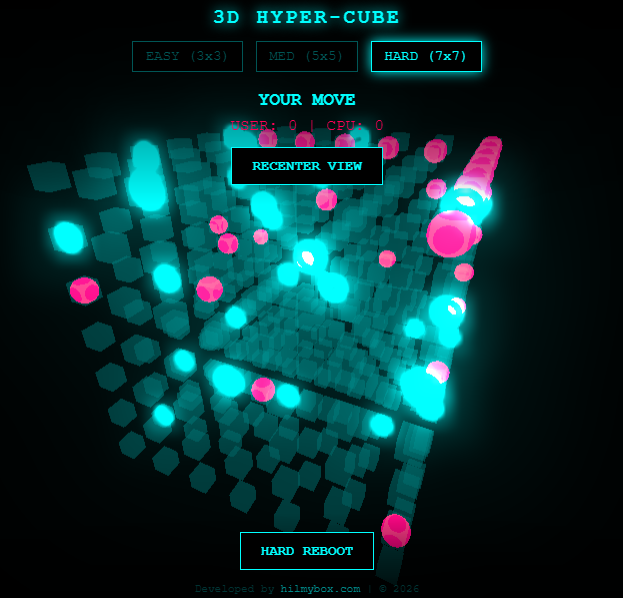
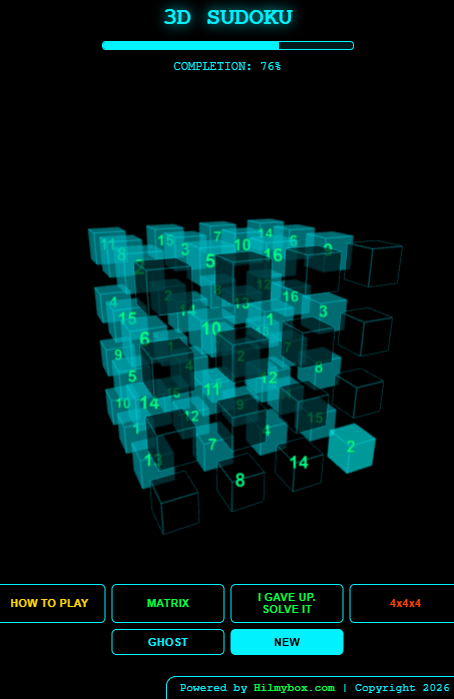
Forget everything you know about X’s and O’s. Step into a cyberpunk 3D arena where strategy moves across axes. Built with Three.js and featuring a "unbeatable" AI, this is the ultimate test of spatial awareness.
Click here to access.
1. The Core Engine
The engine manages the game logic, state transitions, and the "Artificial Intelligence" of the opponent.
- State Management: The game uses a flat array
board = Array(SIZE**3).fill(null)to track the state of every cell in the 3D grid. - Win Logic: Unlike 2D Tic-Tac-Toe, which has 8 winning lines, a 3D 3x3x3 cube has 49 possible winning lines (horizontal, vertical, depth, and various 3D diagonals). The engine pre-calculates these in the
winPatternsarray during initialization. - CPU Opponent: The AI uses a Heuristic Search pattern. It first checks if it can win in the next move; if not, it checks if it needs to block the player from winning. If neither condition is met, it chooses a random available slot.
- Raycasting: The engine uses a
THREE.Raycasterto translate 2D mouse clicks on your screen into 3D coordinates to determine which specific cube in the grid you are targeting.
2. Rendering Technology
The project utilizes Three.js, a powerful cross-browser JavaScript library used to create and display animated 3D computer graphics in a web browser via WebGL.
- WebGL Renderer: The
THREE.WebGLRendereris the workhorse that draws the 3D objects onto the HTML<canvas>. - Post-Processing (Bloom Effect): The code uses an
EffectComposerwith anUnrealBloomPass. This creates the "neon glow" aesthetic by blurring high-intensity light areas, giving it a futuristic "hyper-cube" look. - Materials & Lighting: It uses
MeshStandardMaterialwith emissive properties. This allows objects to look like they are glowing from within, which is then amplified by the Bloom pass. - Asset Lifecycle: To maintain performance, the engine explicitly calls
.dispose()on geometries and materials when switching grid sizes (e.g., Easy to Hard) to prevent memory leaks.
3. Mathematical Tools
3D graphics rely heavily on linear algebra and geometry, which are handled by Three.js objects.
- Vector3 Math: Every object exists at a coordinate defined by (x, y, z). The code uses
THREE.Vector3to calculate positions and distances (e.g., calculating the length and center point of the "win line"). - Interpolation (LERP): The
camera.position.lerp()function uses Linear Interpolation. This creates the smooth "gliding" motion when you click "Recenter View" or change levels, rather than snapping the camera instantly. - Quaternions: When a player wins, a cylinder (beam) is drawn. The code uses
quaternion.setFromUnitVectorsto mathematically rotate that cylinder so it perfectly aligns with the winning row's direction in 3D space. - Trigonometry: The "Ghost Tile" (hint) uses
Math.sin(Date.now())to oscillate its brightness, creating a pulsing visual effect.
4. Front-End Environment
The environment is a modern, responsive web wrapper that hosts the 3D simulation.
- Declarative UI: The HUD (Heads-Up Display) is built with standard HTML5/CSS3. It uses
position: fixedandflexboxto overlay the score and controls on top of the 3D canvas without interfering with the WebGL layer. - Import Maps: The script uses
<script type="importmap">. This is a modern browser feature that allows the code to use cleanimport * from 'three'syntax without needing a complex build tool like Webpack or Vite. - Responsive Logic: The
onWindowResizefunction dynamically updates thecamera.aspectandprojectionMatrix. This ensures the 3D cube doesn't look "stretched" when you rotate your phone or resize your browser window. - Interactive Controls: It integrates
OrbitControls, allowing users to rotate the entire multiverse view using touch or mouse drag, providing a full 360 degree perspective of the game board.